You built the passport trail. Twenty businesses signed on, the rewards are set, the map looks great. And then the first week goes by with eleven signups, nine of which are your board members.
This is the most common way a passport challenge underperforms, and it usually has nothing to do with the challenge itself. People just never found out it existed. The fix is almost always physical: a printed poster with a QR code, hanging where people already are.
Why a Printed Poster Still Works for a Digital Trail
It feels backwards to promote a digital passport with paper. It isn't.
The person you most want on your trail is already downtown. They're waiting for coffee, or standing at a register, or walking past a window on a Saturday. They have a phone in their hand and about ninety seconds of idle attention. That is a much better moment to catch them than a social post they scroll past on a Tuesday night, because they can start the trail right where they're standing.
A QR code closes the gap between "that sounds fun" and "I'm signed up." No searching, no remembering the name of it later. Scan, join, first check-in happens at the business they're already standing in.
How to Print Your Passport Poster
The good news is you don't need a designer for this.
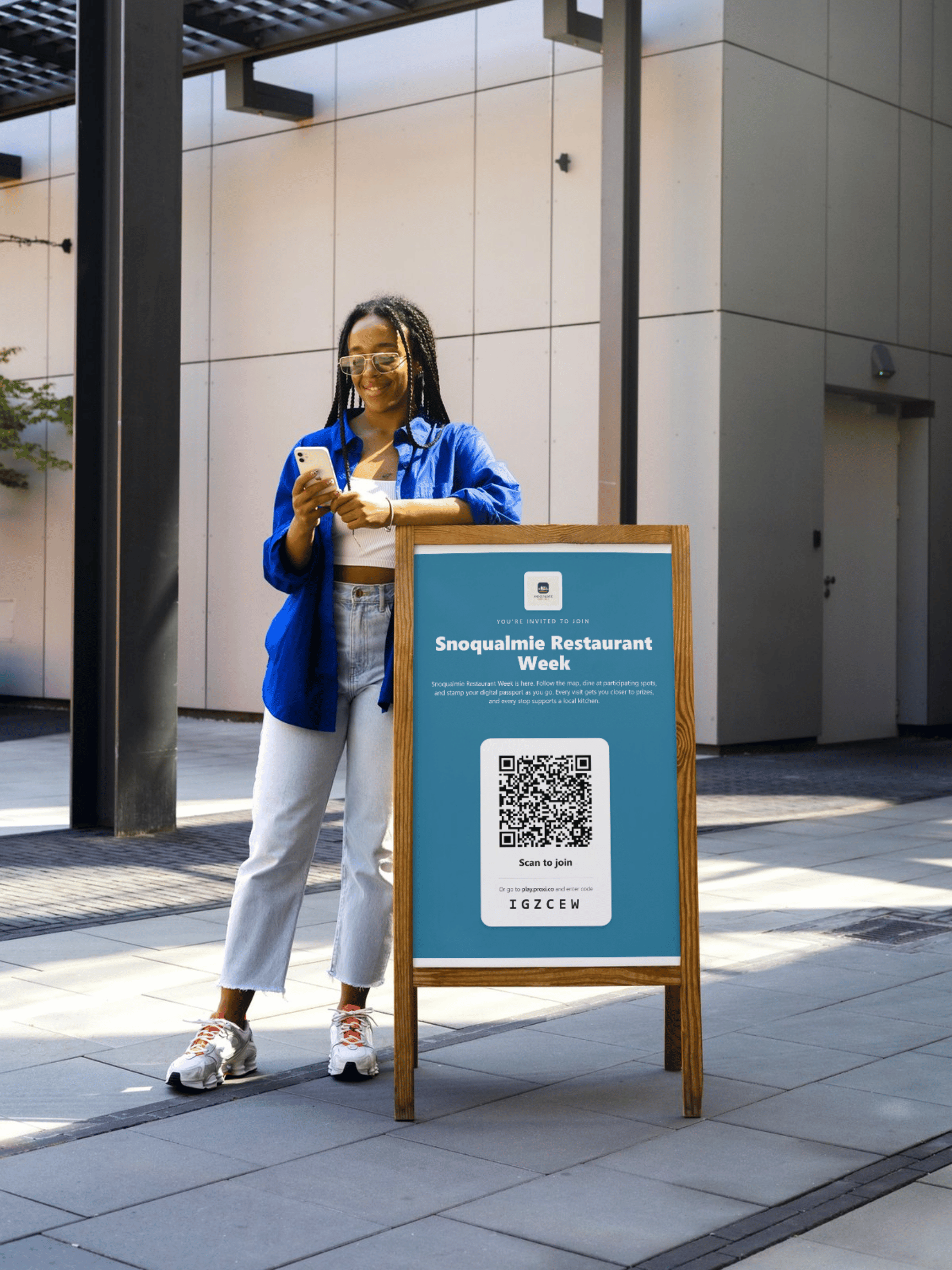
Once your passport challenge is built in Proxi, hit Print. You get a poster with your challenge branding and a QR code that points straight to the signup, sized and ready to send to a printer or run off on your office machine.
That's the whole flow. Build the trail, click Print, and you have something to hand a business owner the same afternoon. When we set up Snoqualmie Restaurant Week on our demo site, the poster came out of the same two steps.
Where to Hang Posters So People Actually Scan Them
Not all wall space is equal. The best spots share one thing: people are standing still and slightly bored.
The register or checkout counter is the single highest performing placement, because there's a natural pause there. After that, in rough order: the inside of the front window at eye level, the wall next to the restroom door, community bulletin boards, and the back of the door people see on their way out.
Beyond your participating businesses, hit the places visitors pass through anyway. The library, the visitor center, hotel and B&B lobbies, the farmers market info booth, and your own office window. If you have an event on the calendar during the trail, put a stack of half sheets on the registration table.
Skip anywhere someone is moving fast. A poster on a lamppost gets seen and never scanned.
What to Tell Businesses When You Hand Them a Poster
Don't just drop posters off. Thirty seconds of context is the difference between a poster on the wall and a poster in the back room.
Tell them three things: people who scan this end up in your store, here's where to hang it, and mention it at checkout. That last one matters more than the poster. A barista saying "have you done the restaurant week passport?" while handing over a drink converts better than anything you can print.
It also helps to tell businesses what's in it for them specifically. If your trail has a business leaderboard, mention that they can see how many check-ins they've driven compared to everyone else. Merchants get competitive about that in a way that keeps them promoting it.
Then Watch What Happens
Give it a week after the posters go up and check your signups. If a trail was quiet and then jumps once posters are in windows, you've confirmed the challenge was fine and the awareness was the problem. That's useful to know for the next one.
You can also message everyone who joined, directly from Proxi, partway through the trail. A short "you're two stops from your reward, here's what's left" nudge in the final week is the cheapest engagement you'll run all season.
Build the trail, print the poster, walk it around downtown. It's the least technical part of running a passport challenge and usually the part that decides how it goes.
Adventure Awaits!
Check out some of the latest articles on our blog